Mobile Legends Diamonds are MLBB's in-game currency, used for skins, heroes, Starlight and events. On Knightpin you buy Diamond codes and Razer codes with secure payment. You redeem a Diamond code on mdirect.me and a Razer code via Razer Gold yourself, without sharing your password.
What Are Mobile Legends Diamonds?
Mobile Legends Diamonds are the official premium in-game currency of Mobile Legends: Bang Bang (MLBB). With Diamonds you can buy heroes, skins, Starlight membership, events and special bundles. Some content can be unlocked with Battle Points, but Diamonds give the fastest and widest access. On Knightpin you buy Diamond codes and Razer codes with secure payment and redeem the code on your own account yourself.
What Can You Buy with Diamonds?
- Weapon/character skins and special skin bundles
- New heroes
- Starlight membership, which gives ongoing value throughout the season
- Emotes, recall effects, avatars and entries to events/lucky spins
MLBB Skin Prices (in Diamonds)
Skins are tiered by rarity. Typical Diamond prices (may vary by shop):
- Normal skin: ~269 Diamonds (new releases are 30% off in their first week)
- Elite skin: 399-599 Diamonds
- Special skin: ~749 Diamonds
- Epic skin: 899-1,089 Diamonds
- Starlight membership: 300 Diamonds per month (Premium 750 Diamonds)
Legend and collection skins are usually obtained through lucky spins and special events, for more Diamonds.
How to Top Up Diamonds
There are two kinds of code on this page. After your order, the code appears on your order page; follow the steps for the product you bought.
Diamond code and Twilight Pass (mdirect.me)
- Go to mdirect.me/mobile-legends.
- Select the pack you bought (for example, 278 Diamonds if you bought 278 Diamonds).
- Enter your email address, Player ID (Account ID) and Zone ID, then press Validate Player ID.
- Check your account in the window that opens, type the code into the Coupon Code field and press Top Up.
Razer code (Razer Gold)
- Sign in with your Razer account at gold.razer.com. Your account region must be Turkey.
- In the Reload section, choose Razer Gold PIN as the payment method and enter the PIN. Do not enter the serial number starting with RG. The amount is added to your Razer Gold wallet in TL.
- On gold.razer.com/tr/tr/gold/catalog/mobile-legends, enter your Player ID and Zone ID and choose the Diamond amount.
- Choose Razer Gold as the payment method and complete the purchase.
You can find your Player ID and Zone ID on your profile screen in the game: the long number under your username is your Player ID, and the number in parentheses next to it is your Zone ID (example: 12345678 (2245)).
Diamond codes are for the Global server and also work on Turkey (TR) accounts. Razer codes can only be loaded into a Razer Gold account in the Turkey region; the wallet balance adds up, so you can combine several codes to buy the pack you want.
Which Diamond Pack Should I Choose?
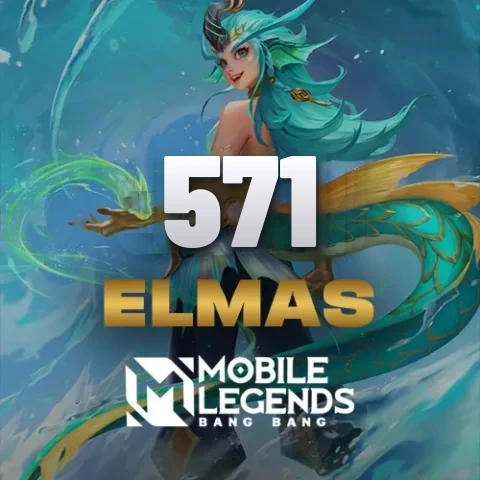
- 571 - 1,167 Diamonds: For one Elite/Epic skin or a Starlight membership.
- 1,783 - 3,005 Diamonds: For several skins, a hero + skin, or a skin + Starlight combo.
- 4,770 - 6,012 Diamonds: For buying skins in bulk and going for Legend/collection skins.
Why Buy Diamonds from Knightpin?
On Knightpin, payments go through a secure system. Because you redeem the code on your own account yourself, you never share your account password with anyone. Codes come from verified sources, and 24/7 live support is with you every step of the way.
Discounts on Diamond packs aren't consistent; in our Mobile Legends Diamond prices article, we worked out which packs cost more than the smaller pack below them.